Troubleshooting
Servo amplifier parameter errors on all axes of a robot arm
Short answer
Parameter alarms reported on every axis at once point at the stored configuration, not at five failed amplifiers. Capture the alarm record, decode each code against the alarm manual for the installed controller, and restore only a validated backup of that machine. A donor parameter file from another robot can clear the alarm while loading axis assignments and travel limits that belong to a different arm.
On this page
Parameter alarms reported on every axis at once mean the stored configuration disagrees with the hardware the controller found, not that five amplifiers failed simultaneously. Capture the alarm record first, decode each code against the alarm manual for the installed controller, and restore only a validated backup of this machine. A parameter file borrowed from another arm of the same model is not a repair: it can clear the alarm while loading axis assignments, origin data and travel limits that belong to a different robot.
What a parameter alarm is, and is not #
A servo axis combines a command source, feedback, drive electronics and a motor, and the parameter set is what tells the controller how those pieces are connected: which axes exist, which amplifier drives each one, and what the travel limits and origin positions are. A parameter alarm is the controller rejecting that stored description. It is raised before the motors carry working load, which is why it appears at power-up or at servo enable rather than mid-move.
That timing separates it from load-related faults. Winding heating and overload trips follow current and duty; a configuration validation failure follows whether the stored settings describe the attached equipment. An alarm that appears during loaded movement points toward torque, feedback or thermal trouble instead, and a different family of diagnosis applies, such as the error counter overflow alarm that shows up when an axis runs out of torque, or the wiring and feedback faults covered in the encoder connection error alarm check. Do not raise current limits or change cooling settings in response to a parameter alarm; those address a fault the controller has not reported.
The word "amplifier" inside a parameter alarm is also not a verdict on the amplifier. The controller is saying that a setting describing an amplifier is invalid, which is a different statement from "this power stage has failed." Replacing hardware before decoding the codes replaces the most expensive component on the list of possible causes.
The five-code, five-axis mismatch, worked through #
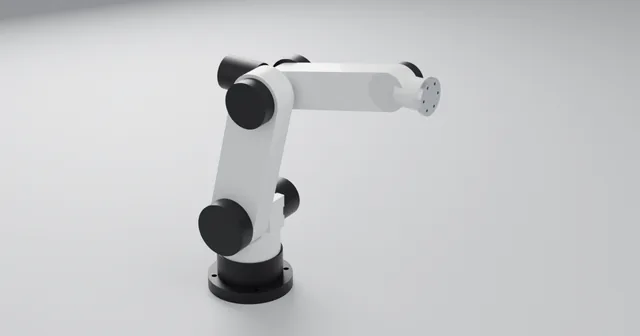
The reported condition is a five-axis arm (the RV-2AJ is a five-axis robot) with controller CR-571, showing codes H1251, H1252, H1253, H1255 and H1256. The arithmetic of that list is the first check:
| Quantity | Value | Where it comes from |
|---|---|---|
| Robot joints installed | 5 | Robot model and identification label |
| Alarm codes reported | 5 | Alarm display on the controller |
| Suffix range covered | 1 through 6 | Last digit of the five codes |
| Suffix positions minus joints | 6 − 5 = 1 | Calculated |
| Missing suffix | 4 | Calculated from the code list |
If the final digit mapped one-to-one onto joint numbers, this code set would claim alarms on joints 1, 2, 3, 5 and 6, leaving joint 4 unalarmed and a joint 6 that does not exist. That is one contradiction, and it is enough to reject joint-number reading of these digits. The suffix more likely indexes amplifier channels, parameter groups or reserved axis positions; the alarm manual for the installed controller is the only document allowed to make that connection. Decode each of the five codes there and record what each definition actually names: an axis, a channel, a parameter category or something else. Until the manual connects a digit to hardware, alarm numbering and joint numbering are separate information.
Five alarms arriving together also make a shared cause worth checking before treating each axis as an independent hardware failure. One restore, one initialization, one memory battery replacement or one added-axis card changes several channels at once, which matches the observed pattern better than five simultaneous component failures does.
Likely causes, cheapest check first #
Work this list in order; each entry has a confirming check that decides it.
- Momentary corruption of the stored configuration after a power interruption or a low memory battery. Cheapest check: one power cycle after the alarms are recorded, then read the alarm history. Confirmed if the identical codes return at the identical point in the startup sequence.
- Stored configuration disagrees with installed hardware — a replaced amplifier, an added or removed axis option, or a robot selection that no longer matches the machine. Check: read the identification labels on the robot, controller and amplifiers and compare them against the robot selection and axis configuration the controller displays. Confirmed if a decoded code names a parameter group or axis position that does not match the installed hardware.
- Machine-specific data lost during recent service — origin positions, calibration or option settings after a board, memory or battery swap. Check: the maintenance log. Confirmed if the alarm onset coincides with documented service work on the controller.
- Genuine amplifier hardware fault — last on the list, not first. Confirmed only after the parameter checks in the alarm manual's instructions have been completed and the codes persist unchanged.
Do not enable motion with an unverified configuration in place: software limits and origin data that do not match the mechanics are a collision and crush hazard before the first taught move. Keep personnel clear of the arm until the configuration has been validated.
Capture, then restore, the right configuration #
- Keep servo power off and photograph or export all active alarm codes with their descriptions.
- Record at which point each alarm appears: power-up, servo enable or commanded movement. Retain the alarm history before clearing anything, because repeated resets can obscure the order in which faults appeared without correcting their cause.
- Read and record the identification labels on the robot, controller and amplifiers, plus the software identification shown by the controller. Use those identifiers to select the correct alarm manual and recovery documentation.
- Export the current parameters using the supported maintenance method before editing or initializing anything. Keep that export separate from any known-good backup; the current file probably contains the fault, but it is the comparison baseline for reviewing every later change.
- Decode
H1251,H1252,H1253,H1255andH1256in the alarm manual for the installed controller, and follow the parameter checks each definition specifies. - Restore only this machine's own validated backup, taken while the machine was known healthy. If no such backup exists, the legitimate path is the manufacturer's documented recovery procedure through its official support channel or an authorized service partner, which will also establish which machine-specific settings must be recreated. A file shared by another owner of the same model, or from a different robot, fails the validation test regardless of how well it loads.
- Apply the save, initialization and restart steps in the documented sequence, and write down every setting changed so an unsuccessful repair can be unwound without losing the baseline.
The decision #
If the codes repeat identically at startup after one recorded reset, the cause is configuration, and the repair is a validated restore of this machine's backup followed by the manual's parameter checks. If no backup of this machine exists, the repair is the manufacturer's documented recovery, and the alarm codes are input to that process, not something to silence with a stranger's file. If the codes appear only during loaded movement, stop: the fault is not this configuration, and the load-side diagnosis paths above take over. A donor parameter file is not the decision in any of these cases — for a five-axis machine showing a suffix that exceeds its joint count, the file whose alarms you are trying to clear is the evidence, and it is telling you the configuration, not the hardware, is what changed.
Questions asked
Can I use a parameter backup from another robot of the same model?
No. Two arms of the same model still differ in origin data, calibration, travel limits and option configuration. A donor file can make the alarm disappear while loading settings that belong to a different machine, so the first commanded move can exceed the real mechanical limits. Restore only a backup taken from this controller, or rebuild the machine-specific data through the manufacturer's documented recovery procedure.
Why does a sixth alarm code appear on a five-axis robot?
The digit at the end of an alarm code is not automatically a joint number. It can index an amplifier channel, a parameter group, or an added-axis position that the controller reserves even when no axis is installed. Only the alarm manual for the installed controller connects a code to specific hardware, so read the full definition before concluding that the arm has a sixth axis or that a joint is missing from the alarm list.
Where are the alarm definitions for this controller documented?
In the alarm and troubleshooting section of the instruction manual written for the robot series and controller combination installed on the machine, which the manufacturer publishes in its document library. Match the manual to the controller model printed on the identification label, because alarm numbering can differ between controller generations of the same robot series.
What should I record before clearing the alarm?
Photograph or export every active code with its description, note whether each appears at power-up, at servo enable or during motion, and keep the alarm history screen. Also record the identification labels on the robot, controller and amplifiers, the software identification the controller displays, and an export of the current parameters taken with the supported maintenance tool before anything is edited or initialized.